
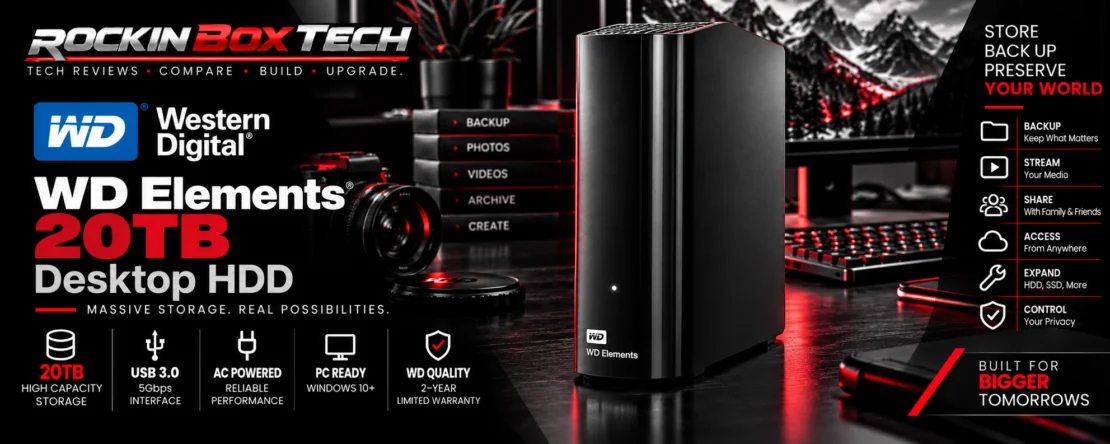
WD Elements Desktop 20TB External HDD Review
Massive desktop storage for large local backups, media libraries and consumers who need maximum capacity without NAS complexity.
What It Is
The WD Elements Desktop 20TB is a high-capacity external mechanical hard drive built for consumers who need substantially more storage than portable drives normally provide.
Instead of emphasizing portability, the WDBWLG0200HBK-NESN is designed to sit beside a desktop or workstation and provide a large local destination for computer backups, photographs, video, documents and other data-heavy collections.
Key Specifications
| Exact Model | WD Elements Desktop 20TB — WDBWLG0200HBK-NESN |
|---|---|
| Capacity | 20TB |
| Storage Type | Desktop external mechanical hard disk drive |
| Interface | USB 3.0 |
| Connector | Micro-B |
| Included Data Cable | SuperSpeed USB-A cable rated for 5Gbps |
| Power | External AC adapter required |
| Dimensions | 135 × 48 × 165.8 mm |
| Operating Temperature | 5°C to 35°C |
| Windows Compatibility | Windows 10 and later |
| macOS | Reformatting may be required |
| Warranty | 2-year limited warranty |
Why 20TB Changes the Backup Equation
Massive Local Capacity
Twenty terabytes provides enough room for very large personal libraries and multiple backup sets without immediately requiring several separate external drives.
HDD Cost Efficiency
Mechanical hard drives remain relevant because they can deliver very large capacities at a lower cost per terabyte than equivalent solid-state storage.
Simple Direct-Attached Storage
Consumers who do not need network access can connect the drive directly to one computer without configuring users, shares, networking or a dedicated NAS operating system.
Large Media Libraries
High-resolution photographs, video projects and archived media can consume terabytes quickly. Twenty terabytes gives those collections considerably more room to grow.
Full-System Backups
The capacity can accommodate large computer backups and multiple historical backup versions, depending on the software and backup strategy being used.
One Large Storage Pool
For some consumers, one large desktop drive is easier to manage than spreading backups and archives across several smaller portable devices.
What Owners Are Saying
Consumer feedback is important to this series, but the evidence needs to be presented in context. The exact 20TB SKU currently has a much smaller direct retail-review sample than mainstream portable drives such as WD My Passport.
Mass-Media Storage
Available verified-purchaser feedback specifically identifies the 20TB Elements as useful for very large media collections, which closely matches the product's high-capacity purpose.
Repeat Ownership
One current verified purchaser reports owning four of these 20TB drives, providing a useful example of repeat use for high-capacity storage.
Positive WD Feedback
Syndicated Western Digital feedback shown by Best Buy currently reports a strong overall rating, although the total review sample remains relatively small.
Where a Desktop HDD Makes Sense
Primary Local Backup
A large desktop drive can serve as a convenient local backup destination for one computer or workstation when network storage is unnecessary.
Photo & Video Archives
Twenty terabytes is particularly useful for creators and families accumulating large amounts of high-resolution photo and video data.
Long-Term File Collections
Files that need to remain accessible but do not require SSD-level performance are a natural fit for high-capacity mechanical storage.
Desktop HDD vs Portable HDD
Why Choose WD Elements Desktop?
- Much higher maximum capacity
- Excellent fit for large stationary backups
- Strong capacity-per-dollar potential
- Suitable for very large media libraries
- Simple direct USB connection
Why Choose a Portable HDD Instead?
- No separate AC adapter
- Smaller and easier to carry
- Better suited to travel
- Convenient for laptop users
- Less desk space required
Strengths & Limitations
Strengths
- Huge 20TB storage capacity
- Simple direct-attached USB storage
- Good fit for large local backups
- Useful for photo and video archives
- No NAS configuration required
- USB 3.0 and USB 2.0 compatibility
- Plug-and-play orientation for Windows PCs
- Lower cost per terabyte than large SSD storage
Limitations
- Requires an external AC power adapter
- Not designed for convenient mobile use
- Mechanical storage is much slower than modern SSDs
- No built-in network sharing like a NAS
- macOS use may require reformatting
- Exact 20TB SKU currently has a limited retail-review sample
- A single 20TB drive is still a single point of failure
Works Best With
Large Desktop Backups
Well suited to PCs and workstations containing several terabytes of data that need a straightforward local backup destination.
Media Collections
A strong capacity-oriented option for large photography, home-video, movie, music and other multimedia libraries.
Bulk Archival Storage
Appropriate for files that need substantial inexpensive capacity but do not require the access performance of a high-speed SSD.
Backup Reality Check
Rockin Box Tech Summary
The WD Elements Desktop 20TB is about capacity first. It gives consumers a straightforward way to attach an enormous amount of local storage to a computer without building a NAS or paying for equivalent SSD capacity.
Its best role is large-scale backup and bulk storage: system backups, photo libraries, video archives and other collections where the sheer amount of data matters more than SSD-class transfer performance.
The consumer-feedback sample for this exact 20TB model is still relatively small, so we would not use ratings alone to make claims about long-term reliability. What is clear is the product's purpose: provide very large, simple, directly attached storage for consumers whose backup needs have outgrown smaller portable drives.
Research Disclosure: Rockin Box Tech reviews are research-driven. Information is compiled from manufacturer specifications, technical documentation, reputable published research and owner/customer feedback. Rockin Box Tech does not represent that this product was physically tested unless explicitly stated. Specifications, software support and customer ratings may change over time.